
Word Search Go: Word Puzzle
Gamonix StudiosWord
4.8121.00 Reviews
- Version
- 3.0.110
- Installs
- 100.00K
- Age Rating
- Everyone
Screenshots
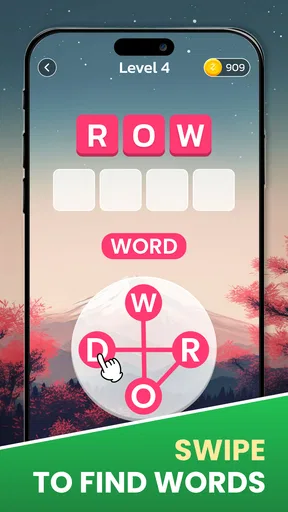
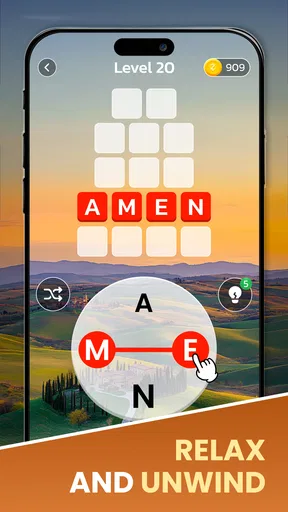
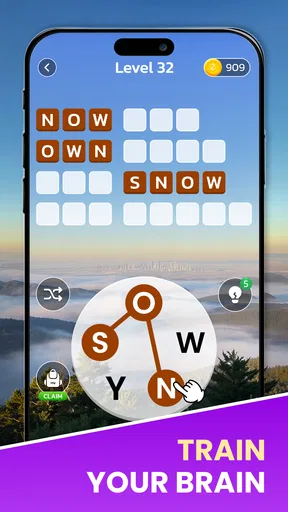
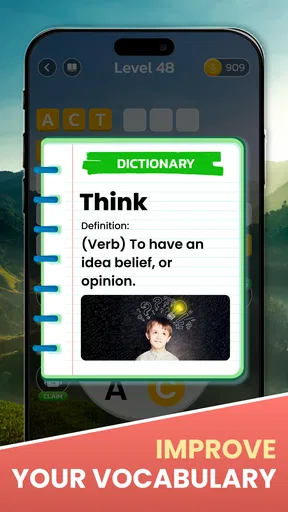
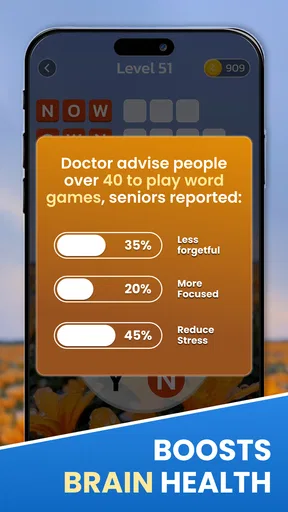

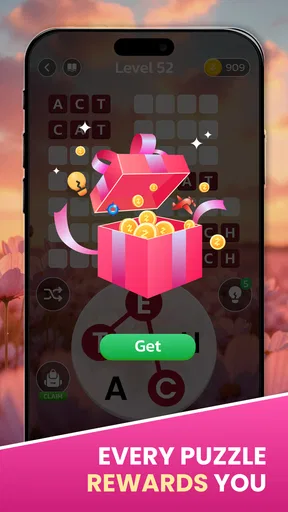
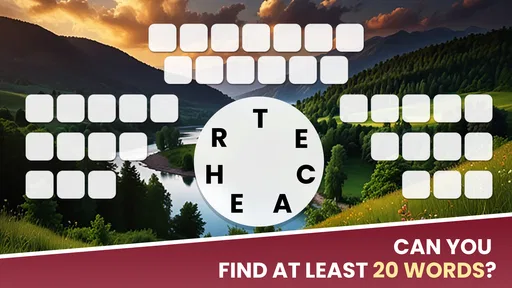
Our Review of Word Search Go: Word Puzzle
 Analysis by Appyee
I opened Word Search Go: Word Puzzle expecting a familiar word-search pastime, but its appeal became clearer after a few short rounds. The basic action is simple: scan a letter grid, spot a hidden word, and trace it with your finger. What keeps the experience moving is the small cycle that follows: the selected word is confirmed, the board gives me a fresh target, and I immediately start looking again. It is easy to understand in seconds, yet focused enough to make a spare moment feel pleasantly occupied.
This is a free word game from Gamonix Studios, aimed at players who want light mental exercise rather than a complicated strategy system. It is listed for Everyone, so the presentation is suitable for a broad audience, including children who are comfortable reading and adults looking for a calm distraction. I found it most enjoyable when I treated it as a short concentration break instead of a game I had to master. That distinction matters, because its strength is the repeatable search itself, not a large collection of elaborate mechanics.
How the search loop feels in actual play
I’ll focus on how the basic search-and-trace rhythm feels over repeated rounds, including the small decisions that make a board easier to read. I’ll also connect that hands-on flow to the practical checks and recovery habits that follow, so a moment of confusion doesn’t turn into needless frustration.
The first action is immediately clear
The opening interaction needs almost no explanation. I look over the board, compare the available letters with the word I am trying to find, and drag across the matching sequence. The gesture feels natural on a phone, and the familiar format means I do not have to learn controls before getting started. That low entry barrier is one of the best reasons to try it during a short wait, while travelling, or when I want something more active than scrolling through a feed.
There is a useful difference between recognizing a possible word and proving that it is the right one. I often notice a promising letter pattern first, then check both directions and the surrounding rows before committing to the swipe. That small pause turns the game from random tapping into a focused visual task. My practical advice is to avoid dragging as soon as one or two letters look familiar. Scan the whole line, because a quick guess can pull attention away from a better candidate elsewhere on the board.
The interface works best when I keep my finger movement deliberate. A slow, clean swipe is easier to control than a rushed one, especially when words sit close together. I also found that changing my viewing distance helps: holding the phone slightly farther away makes the overall arrangement easier to read, while moving closer helps when several similar letters are packed together. These are simple habits, but they make the search feel less tiring during a longer sitting.
Feedback gives each find a satisfying beat
Every successful selection provides the kind of immediate confirmation a puzzle needs. I know at once that the word has been accepted, and that response prevents me from wondering whether my gesture registered correctly. The result is a steady rhythm: inspect, trace, confirm, and return to the remaining list. Because the action and response are closely connected, the game rarely feels sluggish or confusing.
That feedback also changes how I manage attention. At the start of a board, I can search broadly and take in the full grid. After a few discoveries, the remaining words narrow my focus. A distinctive combination of letters becomes an anchor, and I can search for that pattern instead of examining every row equally. This is more efficient than treating the board as a flat wall of random characters, and it gives the later part of a puzzle a different texture from the opening scan.
When I get stuck, I do not keep staring at the same area indefinitely. I read the remaining word again, identify its uncommon letters, and search for those first. If that fails, I move to a different section of the grid and return later. The change of visual focus is surprisingly helpful. A word that seemed invisible often becomes obvious after I stop forcing my eyes to remain in one place.
The reward is progress, not spectacle
The main reward comes from clearing another word and reducing the unfinished portion of the board. It is modest, but that is appropriate for this type of game. I am not playing for a complex story or a dramatic victory sequence. I am playing for the small satisfaction of turning uncertainty into recognition, then seeing the puzzle move closer to completion.
This makes the game a good fit for people who enjoy quiet accomplishments. Completing a search can provide a clean stopping point after a few minutes, while a nearly finished board creates a natural reason to continue. I often tell myself I will stop after finding one more word, then stay because the last few entries feel within reach. That pull is not based on pressure; it comes from the board becoming more understandable as I work through it.
The reward is also useful as a mental reset. If I have been switching between messages, news, and other small tasks, concentrating on letter order gives my attention one narrow job. It does not demand the same commitment as a long-form puzzle game, but it is more involving than passive entertainment. For that reason, I can see it working well as a short break between study sessions or during a quiet part of a commute, provided the player is not driving or otherwise responsible for their surroundings.
Why another session begins
The reason I start another round is the same reason the first one works: the rules are already understood, so there is no setup cost. I do not need to remember a complicated objective or rebuild a strategy from scratch. I can finish one search, pause, and return later with the same basic confidence. That makes the game particularly convenient for uneven schedules, where I may have a few minutes now and more time much later.
Still, the repeatability has a trade-off. Players who need constant novelty, deep progression, or a strong competitive layer may find the loop too restrained. Once the pleasure of spotting words becomes familiar, the experience depends heavily on whether the individual boards continue to feel engaging. I would not choose it as my main game if I wanted character development, elaborate challenges, or a rich narrative. Its purpose is narrower and more peaceful.
Another session also begins because the game sits in a comfortable middle ground between easy and demanding. The rules are accessible, but finding every word can still require patience. I can play casually while relaxing, yet I sometimes need to slow down and inspect the grid carefully. That balance is valuable for mixed-age households: one person can approach it as a gentle reading exercise, while another can treat it as a visual concentration test.
Using it in everyday situations
A realistic use case is a short evening break after work. I might have ten quiet minutes before dinner, open the game, complete part of a board, and stop without feeling that I abandoned a large commitment. The same pattern works in a waiting room or during a coffee break. I would keep the session short if I noticed my eyes becoming tired, because repeated grid scanning can be less relaxing when I am already fatigued.
It can also suit families looking for a simple shared activity. An adult can help a younger player identify possible letter patterns without needing to explain complicated rules. The Everyone age rating supports that broad positioning, although reading ability and patience still matter more than the label alone. I would introduce it by asking the child to search for one distinctive word at a time rather than trying to solve the entire board immediately.
For language learners, the game may be useful as a recognition exercise when the word list contains familiar vocabulary. I would not treat it as a complete language-learning tool, because finding a word is different from understanding how it is used in a sentence. However, the act of repeatedly scanning letter sequences can make spelling patterns more noticeable. It is best used alongside proper reading or vocabulary practice, not as a replacement for either.
Where it compares well with usual alternatives
Compared with a daily word guessing game, this format gives me more continuous activity. I am not limited to a single answer attempt; I can keep scanning and solving within the same session. Compared with a crossword, it places less emphasis on definitions and written clues, so it is easier to start when I want a visual challenge rather than a knowledge test. Compared with an anagram game, it lets me search through an arranged field instead of repeatedly rearranging the same letters.
That accessibility is also its limitation. Crossword players who enjoy layered clues may find the search format less intellectually varied. Fans of competitive word games may prefer timers, rankings, or head-to-head pressure. I would also choose a more substantial puzzle title when I want a clear long-term goal, because the pleasure here comes from the immediate board rather than from building a complicated profile of progress.
The strongest comparison is with paper word-search books. The phone version is more convenient because it is always available and records the interaction through touch, while paper can feel calmer for people who want to step away from screens. If screen fatigue is a concern, a printed puzzle may be the better choice. If convenience and quick restarts matter more, this game has the advantage.
Practical details before downloading
The game is free to download, with optional in-app purchases ranging from $0.99 to $24.99 per item. That means I can try the core experience without paying first, which is useful for deciding whether the search rhythm suits me. I would still approach optional purchases carefully, particularly on a shared device or when children can access the game. The free entry point is appealing, but the presence of purchases is worth remembering before handing over the phone.
It has reached over 100 thousand installs and holds a 4.8 average from around 2.4 thousand ratings, with 121 written reviews. Those figures suggest that the straightforward format has found an audience, although popularity alone cannot tell me whether every player will enjoy the same pace. I would read the overall response as encouragement to try it, not as a guarantee that it will replace every other word game.
The current version is 3.0.110, and the game requires Android 7.0 or later. That requirement should cover many older Android phones, but anyone using an especially old device should check compatibility before planning to play. The title is presented as an Android game, so iPhone users should not assume that the same download or version applies to their device. For Android players who meet the requirement, the technical barrier appears relatively modest.
Small habits that improve the experience
I get better results when I search by structure rather than by staring at every individual character. First, I look for the rarest or most recognizable letter in the target word. Next, I check the surrounding positions in every direction. Finally, I trace only after confirming the full sequence. This three-step habit reduces accidental swipes and makes difficult boards feel more manageable without changing the simple rules.
I also recommend alternating between active searching and brief visual breaks. After several unsuccessful passes, I look away from the screen for a moment, relax my focus, and return to the grid. The goal is not to force concentration until the letters blur. The game is at its best when the search feels calm and attentive, so taking a pause is more effective than turning every board into a test of endurance.
Another useful approach is to set a personal stopping rule. I might finish a board, play for a short break, or stop after a certain number of searches. Without a boundary, the “one more word” effect can keep me playing longer than intended, especially when only a few entries remain. The game supports quick sessions naturally, but the player still has to decide when the relaxing activity is no longer relaxing.
Who should try it, and who should skip it
I recommend it to anyone who likes word searches, wants a low-pressure way to occupy a few minutes, or enjoys puzzles based on visual attention rather than trivia. It is especially suitable for players who appreciate immediate feedback and a clear objective. The broad age rating and uncomplicated controls make it approachable, while the need to inspect the grid gives it enough focus to feel more worthwhile than idle tapping.
I would skip it if I needed a deep vocabulary challenge, a story-driven campaign, or a strong social competition system. It is also not the right pick for someone who dislikes scanning dense letter arrangements or who finds repetitive visual tasks tiring. In those cases, a crossword, an anagram challenge, or a more varied brain-training game would probably offer a better match.
My final view is positive but measured. The core loop succeeds because every action has a clear consequence: a careful search leads to a confirmed word, a smaller remaining task, and a natural invitation to begin again. That is enough to make Word Search Go: Word Puzzle a dependable casual game, even though its restrained design will not satisfy players seeking complexity. I would keep it installed for short concentration breaks, use the deliberate search habits above, and choose something more expansive when I want a richer or more demanding word-game experience.
Verdict
Strengths of Word Search Go: Word Puzzle
- Large word library keeps puzzles feeling fresh for longer.
- Simple interface makes it accessible for casual players of all ages.
- Helpful hints are available when a puzzle becomes difficult.
- Short rounds fit well into commutes or quick daily breaks.
- Offline play is useful when you have limited or no internet access.
Limitations of Word Search Go: Word Puzzle
- Some puzzles may feel repetitive after extended play sessions.
- Difficulty progression can be uneven between certain levels.
- Ads may interrupt gameplay, especially in the free version.
- Small text or letters can be uncomfortable on compact screens.
- Advanced players may find the core word-search format too familiar.
Similar Picks in This Category
View All
Word Search - Word Puzzle Game
Bluetile4.8

Word Search Quest - Puzzles
Blackout Lab4.8

CodyCross: Crossword Puzzles
Fanatee, Inc.4.7

Words of Wonders: Crossword
Fugo Games4.9

Wordscapes: Word puzzle game
PeopleFun4.7

Word Search Explorer
PlaySimple Games4.9
Frequently Asked Questions
What is Word Search Go: Word Puzzle?
Word Search Go: Word Puzzle is a casual word game built around finding hidden words in letter grids. After starting a puzzle, you scan the board and connect or select letters according to the game’s controls. It is designed for short play sessions, making it suitable for relaxing at home, during a commute, or whenever you want a simple mental challenge without complicated rules.
Is Word Search Go: Word Puzzle suitable for beginners?
Yes. The game is generally easy to understand because its main objective is familiar: locate the listed words among mixed letters. Early puzzles usually provide a gentle introduction, while later boards can require more concentration as the grids become larger or the words become harder to spot. Players who enjoy vocabulary games should be able to start playing without a lengthy tutorial.
Can I play Word Search Go: Word Puzzle offline?
Offline availability may depend on the version of the app and the specific features being used. Basic puzzles may remain accessible without an internet connection, but advertisements, progress synchronization, updates, rewards, or other online services can require connectivity. It is best to open the game once while connected and check which modes continue working after enabling airplane mode.
Does Word Search Go: Word Puzzle contain advertisements or in-app purchases?
Like many free-to-download puzzle games, Word Search Go: Word Puzzle may include advertising and optional purchases. Ads can appear between levels or when you request hints, while purchases may be offered for removing advertisements, obtaining coins, or unlocking additional assistance. Before downloading, review the current store listing and your device’s purchase settings, especially if children may use the app.
Is Word Search Go: Word Puzzle appropriate for children and language learners?
The straightforward gameplay can make Word Search Go: Word Puzzle appropriate for children who can read the words used in its puzzles. It may also help language learners recognize spelling patterns and expand vocabulary through repetition. However, the difficulty, vocabulary, advertisements, and available languages can vary by version, so parents should review the app’s content and settings before allowing unsupervised play.
Play our best games!


